Flange
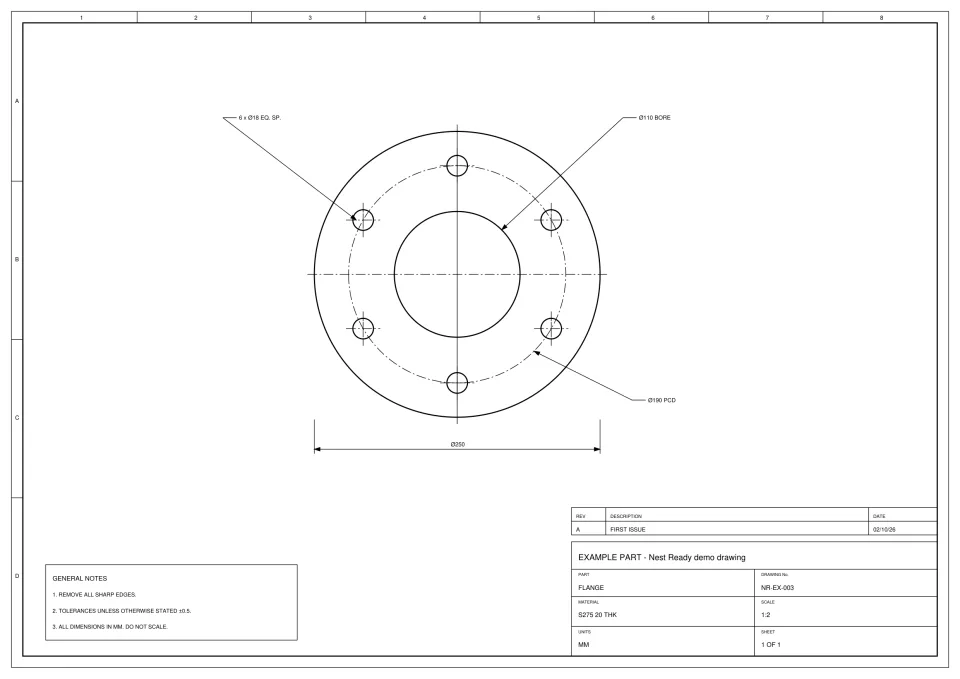 Placeholder: real conversion coming soon
 Before a part can be costed or nested for a quote, someone has to get its geometry out of the customer’s drawing. Nest Ready does that step: it turns the PDFs, scans and photos of drawings in an RFQ into DXF part geometry for your estimating and nesting tools. It doesn’t price the job; the quotation stays yours.
No card required. Bring your own drawings.
The redraw. Costing and nesting need geometry, and the drawing has to be turned into geometry first.
An estimator who receives a drawing either waits for someone in CAD to redraw each part, or redraws it themselves. Either way, skilled time goes on preparation rather than pricing, and the quote waits in the queue behind it. Both add up: the hours spent redrawing, and the days a customer waits for an answer.
Nest Ready does the extracting instead, in around 15 seconds per part on average. What that is worth depends on your volume and your rates, so the savings calculator works it out from your own numbers rather than ours.
Between receiving the RFQ and costing it.
With the customer’s drawings as PDFs, scans or photos.
The whole RFQ at once: up to 50 files in a batch, each up to 25 MB.
Each part’s outer profile and internal features, with the dimensions, notes and title block left behind.
Each part sits beside its drawing. Anything uncertain is flagged for review.
At true size in millimetres, for your estimating and nesting tools. Check every DXF against the drawing before cutting.
Material, cutting time, margin and the quotation itself stay with your team and your tools.
Nest Ready produces geometry. Everything that decides the price is still yours.
| Task | Nest Ready | Your team and tools |
|---|---|---|
| Getting part geometry out of the customer’s drawing | Nest Ready | Not done |
| Flagging anything uncertain for review | Nest Ready | Not done |
| Checking the geometry against the drawing | Not done | Your team |
| Material, cutting time and costs | Not done | Your estimating process |
| Nesting and sheet usage | Not done | Your nesting software |
| Pricing the job and writing the quotation | Not done | Your team |
A part is charged the first time you download its DXF, whether or not you win the job. Parts you never download, or reject in review, cost nothing.
Downloading a part again is free while the drawing is still in your account, so a part you quoted from isn’t charged a second time when the job comes in. Parts from scans, images, photos and sketches count as 5 parts. See how parts are charged.
CAD-exported PDFs, scanned PDFs, JPG and PNG images, and photos of drawings.
For drawings exported from CAD, see PDF to DXF. For paper drawings and old scans, see scanned PDF to DXF: the scale is taken from the dimensions written on the drawing, and each part shows its stated accuracy.
A real Nest Ready conversion of each example drawing below will be shown here, with the DXF and the facts of its run.
Placeholder: real conversion coming soon What to know before you send in your first drawing.
No. It produces part geometry as DXF, which shortens the drawing preparation before or during quoting. Costing, pricing and the quotation stay with you.
No. A part is charged the first time you download its DXF. The DXF is then yours to keep, so the geometry you quoted from is the geometry you program from, and downloading it again from Nest Ready is free while the drawing is still in your account.
Around 15 seconds per part, on average. It’s an average, not a promise: some drawings take longer.
Yes. Every paid plan includes unlimited users.
Bring the drawing. Leave with the part.
We'd like to use Google Analytics cookies to see which pages help people find Nest Ready. Nothing is set unless you accept. Cookie policy